![Steno_Shield_Logo_White_Transparent-1.png]](https://help.steno.com/hs-fs/hubfs/Steno_Shield_Logo_White_Transparent-1.png?height=40&name=Steno_Shield_Logo_White_Transparent-1.png)
Submitting Files and Managing Tasks
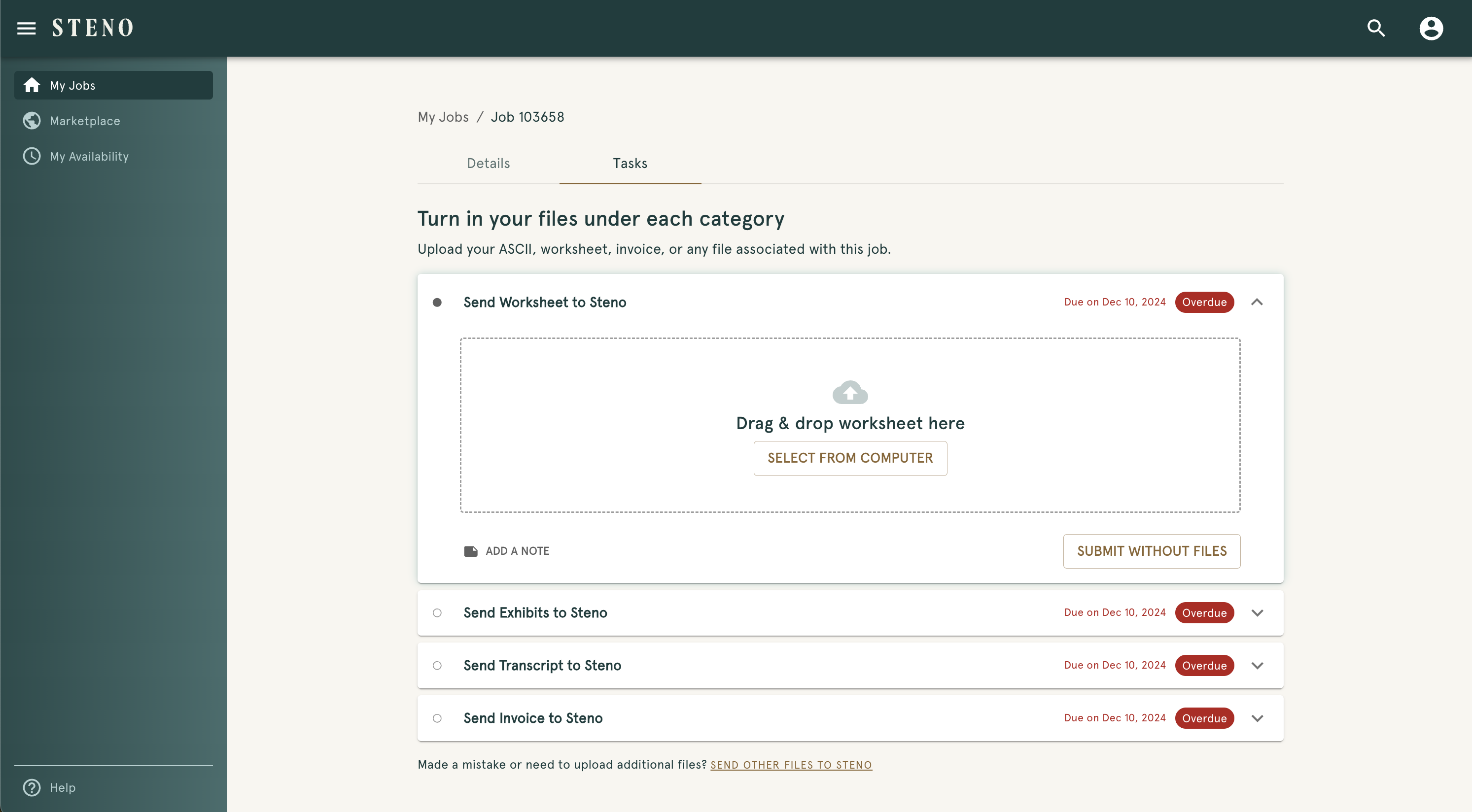
- Open up your Dashboard and go to your My Jobs page
- Choose the job you need to submit materials for to open the Job Details Page
- Click the "Tasks" tab to view and manage deliverables
- Upload worksheets, exhibits, transcripts, and invoices in their respective sections using the drag-and-drop area or "SELECT FILES FROM COMPUTER" button
- Add notes and fill in other fields if necessary
- Click "SUBMIT" when ready
- Monitor due dates for each task category
- Submit files before deadlines to avoid "Overdue" status